
A Bizarre Run Game Link: Official Roblox Experience and Group
Get the official A Bizarre Run game link, identify its Roblox creator group, and check verified controls and release details.
Where is the official A Bizarre Run game link?
The A Bizarre Run game link takes you directly to the official Roblox experience page. Checking that destination matters because the page identifies the game, its creator group, and the controls you need before starting. Bookmark the A Bizarre Run game link once you have confirmed the address, giving yourself a convenient route back to the listing.
General game reference: this recording provides context, not a dedicated demonstration or proof of every topic discussed here.
Developer promotional release trailer; it is not a device benchmark or a dedicated mechanics test.
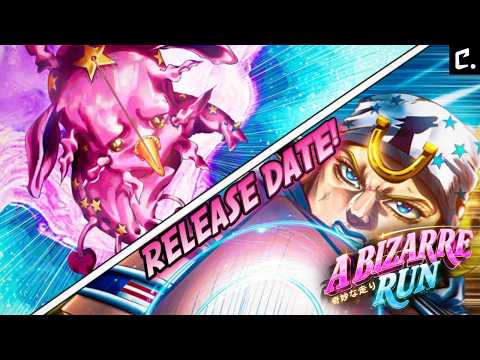
A Bizarre Run | Release Trailer — Chrollo
View the source recording on YouTube.
The November 9, 2026 verification identifies the game as [D4C] A Bizarre Run, associated with the creator group A Bizarre Run By Current. The number in the Roblox address provides a precise reference when checking a saved link.
| Identity detail | Verified value |
|---|---|
| Recorded listing title | [D4C] A Bizarre Run |
| Roblox place ID | 108055619068945 |
| Roblox universe ID | 9867225552 |
| Creator group | A Bizarre Run By Current. |
| Creator group ID | 103629467 |
To check your destination, compare the number immediately after /games/ in the address with 108055619068945. The universe ID is an additional identity reference; use the linked experience link when you want to reach the game page.
The developer’s A Bizarre Run release announcement links to this exact Roblox destination. That agreement connects the platform listing to the developer announcement.
The [D4C] prefix is the update branding recorded during verification. It does not provide a numerical gameplay patch version, so avoid treating it as a complete version history.
Who are the A Bizarre Run group and creator?
The A Bizarre Run game link is associated with A Bizarre Run By Current., the Roblox creator group identified in the official records. The group’s owner is Chrollo_Blox, whose Roblox user ID is 2534191426. These ownership details appear in the official Roblox creator group record.
The group name and owner username answer different questions. The group identifies the organization associated with the experience, while the username identifies the account that owns that group. Seeing both names in references to the game is therefore consistent with the verified ownership information.
If you are checking an attribution, use these three details together:
- Creator group name: A Bizarre Run By Current.
- Creator group number: 103629467.
- Group owner username: Chrollo_Blox.
The ownership record does not supply a complete development-team roster. It establishes the group and its owner without proving that one person created every system, asset, or update.
For readers searching specifically for the A Bizarre Run group, start from the creator attribution on the verified experience page. No separate group-page address is needed to establish which group you are looking for.
For readers searching for the A Bizarre Run creator, distinguish the group attribution from the individual owner. Keeping those details separate makes it easier to interpret developer announcements and Roblox ownership information without overstating what either source confirms.
What does the official listing confirm about the game?
The verified experience is a global Roblox public release. Its official description presents it as a fan-made game inspired by Steel Ball Run, combining horse racing with a separate battlegrounds mode. These release and gameplay details come from the official A Bizarre Run listing.
Opening the A Bizarre Run game link gives you the description for that experience. The two activities have different stated purposes:
| Activity | What the official description confirms | What it does not explain |
|---|---|---|
| Horse racing | Players compete to finish in first place | Complete race rules or detailed movement calculations |
| Battlegrounds | Players fight using a chosen Stand in a separate mode | Full combat balance, damage values, or matchup rankings |
Player experience: Infu’s first-impressions coverage describes racing, using secondary items, fighting other players, and encountering rough behavior, including falling off the map. That account helps illustrate the experience of an early session, but it does not establish how frequently those problems occur or whether they remain unresolved.
Keep that distinction in mind when watching gameplay. A creator’s successful race can demonstrate what happened in that match without establishing a universally effective strategy.
Device compatibility also requires care. The verified material establishes Roblox availability, but it does not contain a complete supported-device list. Check the experience page from your intended device and follow the information Roblox displays; the platform listing is the relevant destination for access details.
Which controls should you check before your first race?
After opening the A Bizarre Run game link, read the controls in the experience description. The verified listing provides eight keyboard inputs covering mounted movement, horse recovery, secondary items, Stand access, jumping, and an emote.
| Key or input | Listed action |
|---|---|
| Shift | Run while on your horse |
| T | Call your horse after falling off |
| F | Activate the one-time boost |
| C | Bring out your secondary item |
| Hold C | Choose a secondary item |
| B | Bring out your Stand |
| X | Perform an emote |
| Space | Jump |
These bindings are recorded in the official Roblox controls description. They provide a useful reference without requiring you to reconstruct inputs from a gameplay recording.
Start by distinguishing Shift, T, and F. Shift controls running on horseback, T addresses recovering your horse after a fall, and F is described as a one-time boost. These are separate actions; knowing their purpose makes the control list easier to remember.
The distinction between tapping and holding C also matters. A tap brings out the secondary item, while holding the key lets you choose one. The listing does not provide a complete secondary-item inventory or explain every item’s effect, so the controls alone cannot support an equipment ranking.
There is one relevant conflict in the references. Player experience: Infu’s recorded tutorial refers to Z for a boost. The official description verified on November 9 lists F instead. For preparation, use the documented binding and check the prompts displayed in your own session if they differ.
The source material does not establish why those inputs differ. It also does not specify the boost’s duration, cooldown behavior, or exactly when its one-time allowance resets. A reliable control guide should preserve those limits rather than inventing timing advice from the word “boost.”
What should you check when access or information seems outdated?
A saved A Bizarre Run game link helps you return to the verified destination, but the address alone cannot explain every access problem. If the page opens and joining fails, the useful next detail is the exact message Roblox displays.
Work through the evidence in this order:
- Open the verified experience address.
- Compare its place ID with 108055619068945.
- Check the creator attribution against A Bizarre Run By Current.
- Read the listing’s description and any access message.
- Compare conflicting guide information with the dated official details.
This sequence separates checking the destination from diagnosing a session problem. It does not assume that every failed attempt has the same cause.
| Situation | Useful reference | What remains uncertain |
|---|---|---|
| You want to confirm the destination | Place ID 108055619068945 | Whether a particular join attempt will succeed |
| You want to confirm ownership | Group 103629467 and owner Chrollo_Blox | The complete development-team roster |
| A video gives a different boost key | Official description lists F | Why the recorded tutorial uses Z |
| You need device-specific access information | Roblox experience page | Compatibility details absent from the reviewed sources |
| A like milestone mentions a code | The exact wording of the official description | The code string, reward, and redemption status |
The extracted page text includes a message that no experiences were running. That isolated snapshot does not establish a permanent shutdown or explain service conditions at another time. The verified release record identifies a public Roblox experience, with the official game page remaining the reference for its listing and access information.
Code announcements need similar precision. The verified description mentions a code at 150,000 likes and another at 200,000 likes. Those milestone statements do not disclose a redeemable string or its reward. They also do not establish that a particular code is currently working.
When sharing the game with someone else, send the verified experience address. A link to a codes article or gameplay clip may provide context, but the Roblox listing gives the recipient the actual destination and creator attribution together.
Frequently asked questions
What is the official A Bizarre Run game link?
Use the official A Bizarre Run Roblox page. Its place ID is 108055619068945, and its associated universe ID is 9867225552. The developer release announcement points to this same address, supporting its identification as the intended game destination. Bookmark that page to keep the verified link available.
Who owns the A Bizarre Run creator group?
The creator group is A Bizarre Run By Current., group ID 103629467. Its owner is Chrollo_Blox, user ID 2534191426, according to the official Roblox group record. This identifies the group’s ownership; it does not provide a full list of developers or establish individual responsibility for every part of the game.
Can I play A Bizarre Run on every Roblox device?
Universal device support is not established by the available evidence. The verified release is on Roblox, but the references do not supply a complete compatibility list. Open the official experience listing on your intended device and check the access information shown there before assuming it supports your setup.
Should I use F or Z for the boost?
The official description verified on November 9, 2026 lists F for the one-time boost. Player experience: Infu’s tutorial recording mentions Z, creating a documented conflict between the sources. Use the official control listing as your starting reference, then check any instructions displayed in your session.
Roblox data snapshot
These are historical Roblox API figures checked on November 9, 2026 at 01:04:51 UTC. They are not live counters. Visits count sessions, not unique players.
| Metric | Snapshot value |
|---|---|
| Players online | 19,306 |
| Visits | 20,606,171 |
| Favorites | 76,805 |
| Positive votes | 154,962 |
| Total votes | 158,761 |
| Like ratio | 97.6% |
The like ratio is positive votes divided by total votes, rounded to one decimal place. Sources: Roblox game data and Roblox vote data. These endpoints return current data when opened; the table preserves the dated snapshot supplied for this wiki.
Related Articles
community
A Bizarre Run Discord: Official Server, Trello and Social Links
Find the A Bizarre Run discord invite through the developer trailer, plus confirmed details on Trello, community wikis, TikTok, and Reddit.
community
A Bizarre Run Private Servers: Current Access Status
What Roblox's current setting and a livestream claim establish about A Bizarre Run private servers as of November 9, 2026.
media
A Bizarre Run Cutscenes: Train Encounter and Stand Animations
A viewing guide to A Bizarre Run’s train encounter and Stand animations, with unresolved D4C triggers, replay options, and skip controls.
Was this helpful?
Thanks for the feedback!