
A Bizarre Run Discord: Official Server, Trello and Social Links
Find the A Bizarre Run discord invite through the developer trailer, plus confirmed details on Trello, community wikis, TikTok, and Reddit.
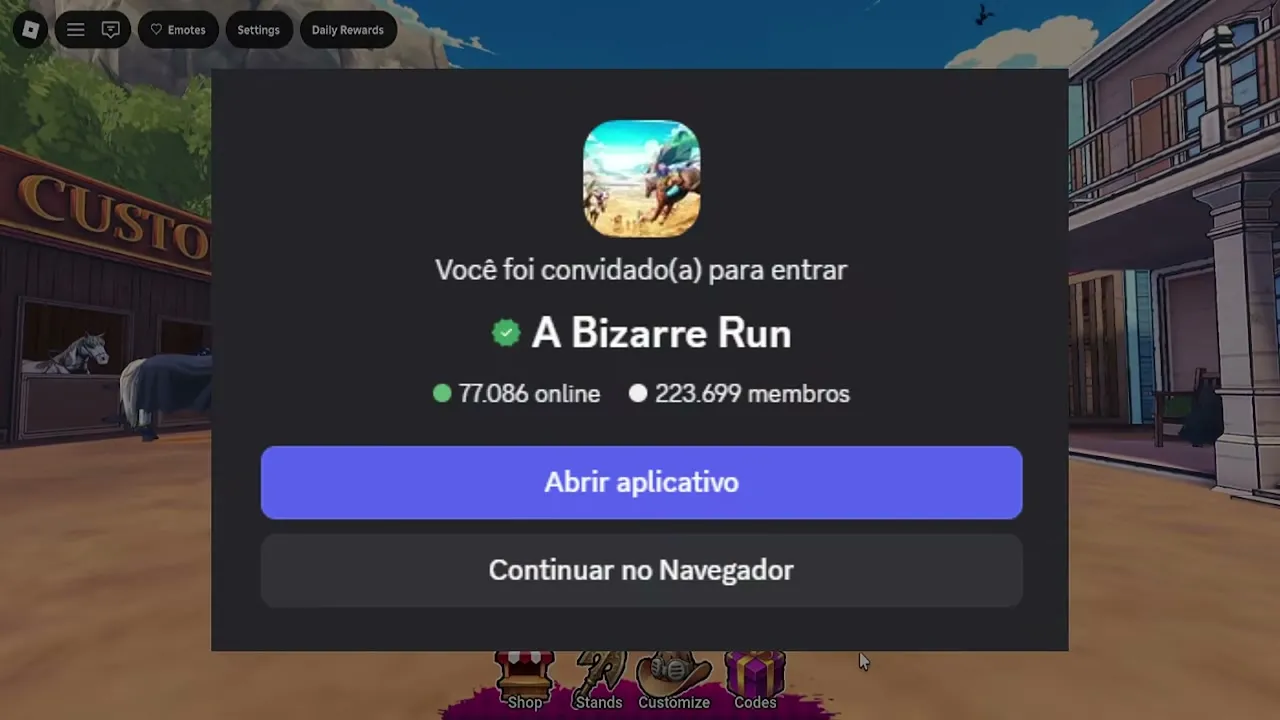
What is the official A Bizarre Run discord link?
The official A Bizarre Run discord invite uses the code abizarrerun, which appears in the description of Chrollo’s official release trailer. That developer source gives you a reliable starting point for finding announcements, community answers, and code news. When opening the A Bizarre Run discord invitation, check that its destination is named A Bizarre Run.
General game reference: this recording provides context, not a dedicated demonstration or proof of every topic discussed here.
Developer promotional release trailer; it is not a device benchmark or a dedicated mechanics test.
A Bizarre Run | Release Trailer — Chrollo
View the source recording on YouTube.
The November 9, 2026, verification record connects that invitation to the game’s Discord server. The trailer description explicitly identifies it as the official ABR Discord, distinguishing it from the developer’s other social links.
| Resource | Where to find it | What is confirmed |
|---|---|---|
| Official game Discord | The release trailer description, beside “ABR OFFICIAL DISCORD” | Invite code abizarrerun; destination named A Bizarre Run |
| Official Roblox experience | A Bizarre Run’s Roblox listing | The game page published by A Bizarre Run By Current. |
| Developer social accounts | The release trailer’s social section | TikTok handles @chrollo_blox and @current.core |
A Bizarre Run is publicly available on Roblox, and the listing reviewed on November 9 carries the [D4C] label. Its official Roblox experience page describes a fan-made game inspired by Steel Ball Run, with horse racing and a separate Battlegrounds mode.
This guide covers that global public release. The A Bizarre Run discord is the relevant community destination, while the Roblox listing supplies the published game description and controls. Neither source establishes that every player message or gameplay theory is developer-approved.
How do you join and find useful information?
Start with the developer’s trailer description so you can identify the invitation from its original context. The description also includes a separate Current Discord link; the entry explicitly labeled for ABR is the one associated with this game.
To reach the server:
- Open the developer release trailer linked above and expand its description.
- Find the entry labeled ABR OFFICIAL DISCORD.
- Follow its invitation and check that the destination is A Bizarre Run.
- Follow Discord’s joining prompts, then read any instructions presented inside the server.
The reviewed sources do not establish a particular verification bot, required role, or account-linking procedure. Follow the server’s displayed instructions without assuming that an older community guide describes its current setup.
Once you enter the A Bizarre Run discord, choose where to look based on the question you need answered. Community reports from Destructoid and Pro Game Guides describe several uses for the server.
| What you need | Where to start | Evidence and limits |
|---|---|---|
| Development news | Developer announcements and update posts | Community reports identify announcements and previews as server content |
| Basic gameplay answers | questions and common-questions, if still present |
Destructoid specifically names these channels |
| Stand and racing discussion | Relevant community conversations | Pro Game Guides describes builds, combat, and race discussions |
| Gameplay issue reporting | The server’s posted reporting instructions | Community reports identify bug reporting as a use; an exact submission process is not documented |
Channel names and organization can change. The two question channels above are reported names, not a guarantee that the server layout remains identical.
Before posting, search for the specific subject: a Stand name, a control, or the problem you encountered. Include whether you mean racing or Battlegrounds. A question such as “Does this D4C advice apply to racing or Battlegrounds?” gives other players more context than asking whether the Stand is good.
What about A Bizarre Run Trello, wiki, TikTok, and Reddit?
The resources associated with ABR have different levels of confirmation. Alongside the A Bizarre Run discord, the developer has linked social accounts, while gaming publications identify community documentation.
| Resource | Status in the November 9 review | How to use it |
|---|---|---|
| A Bizarre Run Trello | No verified official board established | Wait for a developer-confirmed destination |
| A Bizarre Run wiki | Fandom and BloxInformer resources identified by community reports | Use for background reading and check details against current information |
| A Bizarre Run TikTok | Developer-linked handles @chrollo_blox and @current.core |
Follow the accounts through the trailer’s social links |
| A Bizarre Run Reddit | No verified official subreddit established | Treat Reddit discussions as community contributions unless developer affiliation is confirmed |
Trello remains unconfirmed
Destructoid and Pro Game Guides both report that an official Trello board has not been confirmed. That supports a limited conclusion: there is no verified official Trello destination to recommend from this evidence.
It does not prove that no fan board exists. If you encounter a board through a search or player message, check whether the developers have linked it before treating its contents as official documentation.
Community wikis can help with background
Community reports identify Fandom and BloxInformer resources covering the game. These are community wikis, and their inclusion in a resource roundup does not make them developer-maintained.
They can help you identify terminology and subjects to research. For details that affect a build or a race decision, check the page’s context and compare it with current developer information. The provided Fandom extract is too limited to establish the accuracy or completeness of its individual gameplay pages.
TikTok and Reddit have different verification status
Both TikTok handles appear in the developer release trailer’s description. They are developer-linked social accounts; the evidence does not identify each as a dedicated ABR announcement feed.
For Reddit, no verified official subreddit was established. That leaves official affiliation unconfirmed, even if players discuss the game elsewhere on Reddit.
Which gameplay advice should you check against official information?
Use the A Bizarre Run discord to ask focused questions, especially when a video, wiki, and current game description disagree. A useful answer should identify the relevant mode and explain whether it comes from developer documentation or player experience.
Controls provide a concrete example. The official Roblox listing’s published controls include the following keyboard inputs:
| Action | Published input | Detail from the official listing |
|---|---|---|
| Run on horseback | SHIFT |
Horse running control |
| Call your horse after falling | T |
Horse recall control |
| Use the boost | F |
Described as a one-time boost |
| Equip or choose a secondary item | Press or hold C |
Press to pull out an item; hold to choose |
| Pull out your Stand | B |
Stand control |
Infu’s gameplay transcript mentions a different boost key. That recording is player experience, and its input should not replace the control published in the reviewed official listing. The evidence does not establish why the two differ.
These are documented keyboard controls. They do not establish support for every device that can run Roblox, or provide a complete controller or touch-control layout.
Use gameplay videos for examples
Brx’s D4C video offers useful player experience: the creator tests abilities in Battlegrounds, enters a race, and repeatedly struggles with stamina management. That illustrates why combat performance and race execution deserve separate discussion.
It does not establish that D4C is objectively the strongest Stand. The creator also expresses uncertainty about some abilities, so those comments should not become exact duration, damage, or invulnerability claims.
Likewise, Infu reports falling through the map during play. That is evidence of an incident in the recording, not proof that every player encounters the same problem or that it persists unchanged.
When reporting a similar issue, describe the mode, what happened immediately beforehand, and what you observed afterward. Those details make your question more useful than a general statement that the game is broken.
How should you use Discord for codes and updates?
The A Bizarre Run discord is identified in community reports as a place to follow code news and development updates. The important distinction is between an announced milestone and an actual code string with stated redemption terms.
The reviewed official Roblox description mentions two like goals:
| Published information | What it establishes | What it does not establish |
|---|---|---|
| A code associated with 150,000 likes | A stated code milestone | The code text, reward, or expiration |
| Another code associated with 200,000 likes afterward | A further stated milestone | Whether a particular code has been issued or remains valid |
| No code string or reward in the reviewed description | The listing alone cannot supply redemption details | That no codes exist elsewhere |
Check the official game description and the developer’s relevant announcement together. A like milestone alone does not establish what to type into a redemption field.
Community reports include GameRant’s November 7 listing of RELEASE for 15,000 Cash, while Pocket Tactics lists 8,000 Cash. These are conflicting, dated third-party claims. The official facts available for this guide do not independently confirm its current validity or reward, so it should not be presented as a tested working code.
When checking a code announcement, look for the exact spelling, stated reward, and any conditions the developer supplies. If those details are missing, avoid filling the gaps with assumptions from another guide.
Joining the server also does not establish that you will receive personal developer messages. Read announcements directly and use the notification options available to you. For gameplay changes, pay attention to the announcement’s date before applying an older build recommendation to the current game.
Frequently asked questions
Where is the official A Bizarre Run discord invite?
Find the invitation labeled ABR OFFICIAL DISCORD in Chrollo’s release trailer description. Its invite code is abizarrerun, and the November 9, 2026, verification record identifies its destination as the A Bizarre Run server.
Does A Bizarre Run have an official Trello?
No verified official Trello board is established by the reviewed evidence. Community reports from Destructoid and Pro Game Guides agree on that status. Use developer announcements for confirmation if a board appears later.
Are the A Bizarre Run wikis official?
The Fandom and BloxInformer resources are identified as community wikis. They can provide background information, but their inclusion in gaming guides does not establish developer ownership or guarantee that every mechanic reflects the current release.
Which TikTok accounts and Reddit community are confirmed?
The developer trailer links TikTok handles @chrollo_blox and @current.core. No verified official subreddit was established in the reviewed material. For a confirmed game community destination, use the ABR Discord invitation identified in the developer’s trailer description.
Related Articles
community
A Bizarre Run Game Link: Official Roblox Experience and Group
Get the official A Bizarre Run game link, identify its Roblox creator group, and check verified controls and release details.
community
A Bizarre Run Private Servers: Current Access Status
What Roblox's current setting and a livestream claim establish about A Bizarre Run private servers as of November 9, 2026.
media
A Bizarre Run Cutscenes: Train Encounter and Stand Animations
A viewing guide to A Bizarre Run’s train encounter and Stand animations, with unresolved D4C triggers, replay options, and skip controls.
Was this helpful?
Thanks for the feedback!